Events & invites
Scheduled events with invites, RSVP status, and optional guest breakdown (adults and kids).
Create an event
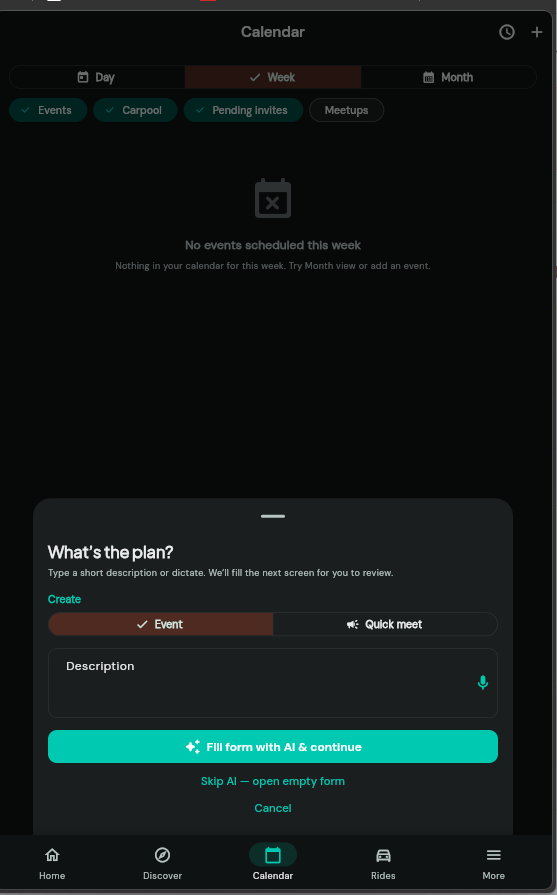
- Open Calendar and tap +, or use the plan flow from Home/Calendar to describe the event in text or voice.
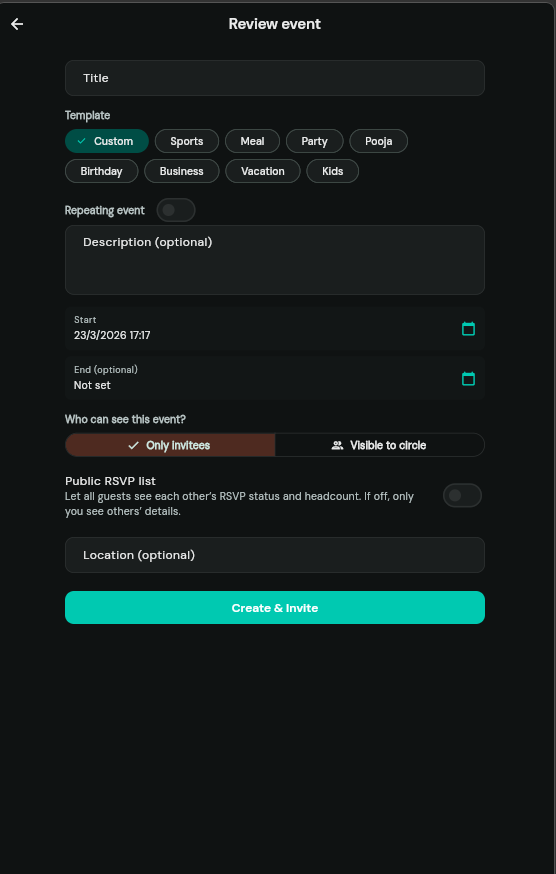
- Set title, time, optional location, visibility (invite-only vs circle), and template if you use one.
- After creating, open the event to invite contacts, groups, or external email/phone.
Invite people
From the event detail screen (as host), use Invite more to add app users from contacts, whole groups, or one-off email/phone lines.
RSVP & headcount
When you respond to an invite, you can set adults and kids (13 & under); the host sees the total headcount. You can leave a note that posts to the event discussion if supported in your build.
Host only by default: Other guests may not see everyone’s RSVP counts unless the host turns on Public RSVP list in event settings.
Who sees RSVPs
- Default — Only the event creator sees other guests’ detailed RSVP and counts.
- Public RSVP list — Everyone who can see the event also sees each guest’s RSVP and headcount.
AI quick create
Where enabled, you can describe the plan in plain language; the app fills the form for you to review before saving.